

Screen Time
Daily
Category
Tools
Reports
Weekly
Screen Time Tracker for More Mindful Phone Habits
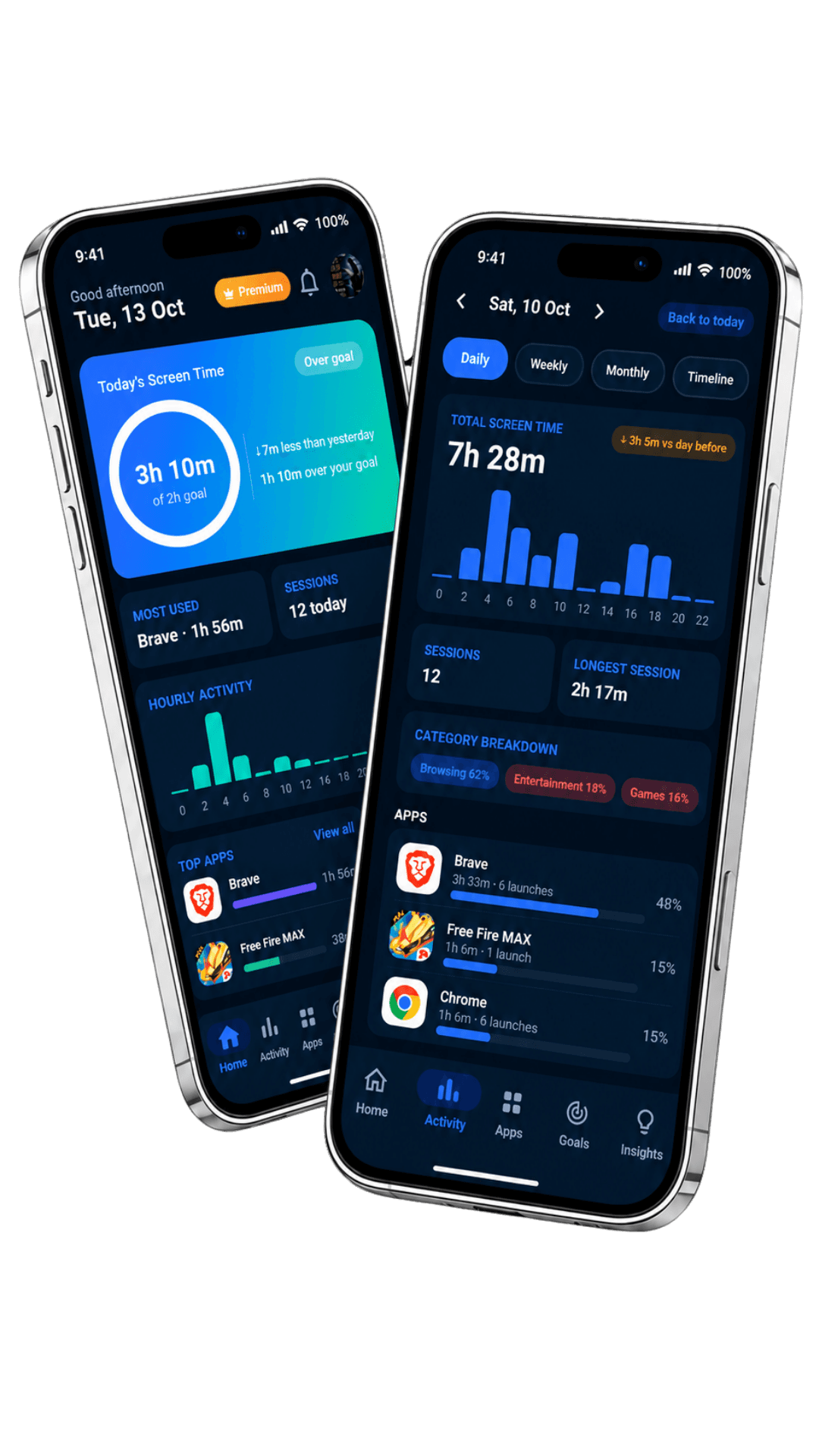
Meet ScreenWise, a simple screen time tracker that shows where your phone time goes. Review daily usage, see your most-used apps, compare your weekly screen time, and build healthier habits with gentle reminders.
Understand your screen time. Notice your habits. Make changes at your own pace.
A Clearer View of Your Daily Screen Time
Daily Screen Time Tracker
See how much time you spend on your device, review your daily total, and use a simple screen time monitor to become more aware of your phone habits.
Understand Your Daily Phone Usage
Review your daily screen time and see which apps account for the largest share of your phone usage. Clear app-level details make your daily phone usage easier to understand.
Weekly Screen Time Reports and Gentle Reminders
Compare your screen time across the week, notice usage patterns, and use daily goals and friendly break reminders to make more mindful choices. ScreenWise does not block or close your apps.
ScreenWise helps you understand your digital habits by showing how much time you spend on your device and which apps take up the most time. If you want to know how to check screen time on Android, ScreenWise brings your daily total, app usage, weekly view, simple charts, a daily goal, and gentle reminders together in one place.
Make Daily Screen Time Easier to Understand
Use ScreenWise as a screen time monitor to see your daily phone usage, identify your most-used apps, and compare your weekly screen time. Set a daily target and use gentle reminders to support healthier screen habits. ScreenWise tracks the device, so activity from multiple people using the same device may appear together.
Screen Time
Daily
Category
Tools
Goal
Daily
Reports
Weekly
A Screen Time Monitor That Keeps You in Control
Clear usage information, weekly comparisons, and gentle reminders help you understand your habits without guilt, forced lockouts, or app blocking.
See your total screen time for the day and understand how your device usage adds up.

Screen Time Insights
Your Screen Time, In Focus
Compare your daily phone usage and review weekly patterns to see where your time goes.
How the Screen Time Tracker Works in Three Steps
Grant Usage Access, review your screen time, and set a goal that supports more mindful phone habits.
Grant Usage Access
Install ScreenWise and allow Android Usage Access so the app can read screen time and app-usage statistics.
Review Your Daily Usage
See your total screen time, check your most-used apps, and understand where your time goes.
Set a Goal and Check Your Week
Choose a daily screen time goal, use gentle reminders, and review your weekly progress.
Your Screen Time in One View
Review, Understand, and Adjust
Use the weekly screen time report to compare days, spot patterns, and make small changes that fit your routine.
Today’s Usage
Daily Screen Time
Check your app usage and weekly progress to understand your screen habits.
Screen Time
Daily usage total
App Usage
Your most-used app
Weekly Report
Weekly usage trend