

Recovery Scan
Free
Root Needed
No
AI Chats
5 Free
Recover Deleted Photos, Videos & Files on Android
Meet RecoverAI, a photo recovery and file backup app for Android. Run a free Smart Recovery Scan, see what can be restored, bring back deleted photos, videos and documents in a few taps, and back up your gallery for next time.
Protect today. Restore when possible. See what can be recovered before you start.
Photo Recovery and File Backup in One App
Free Smart Recovery Scan
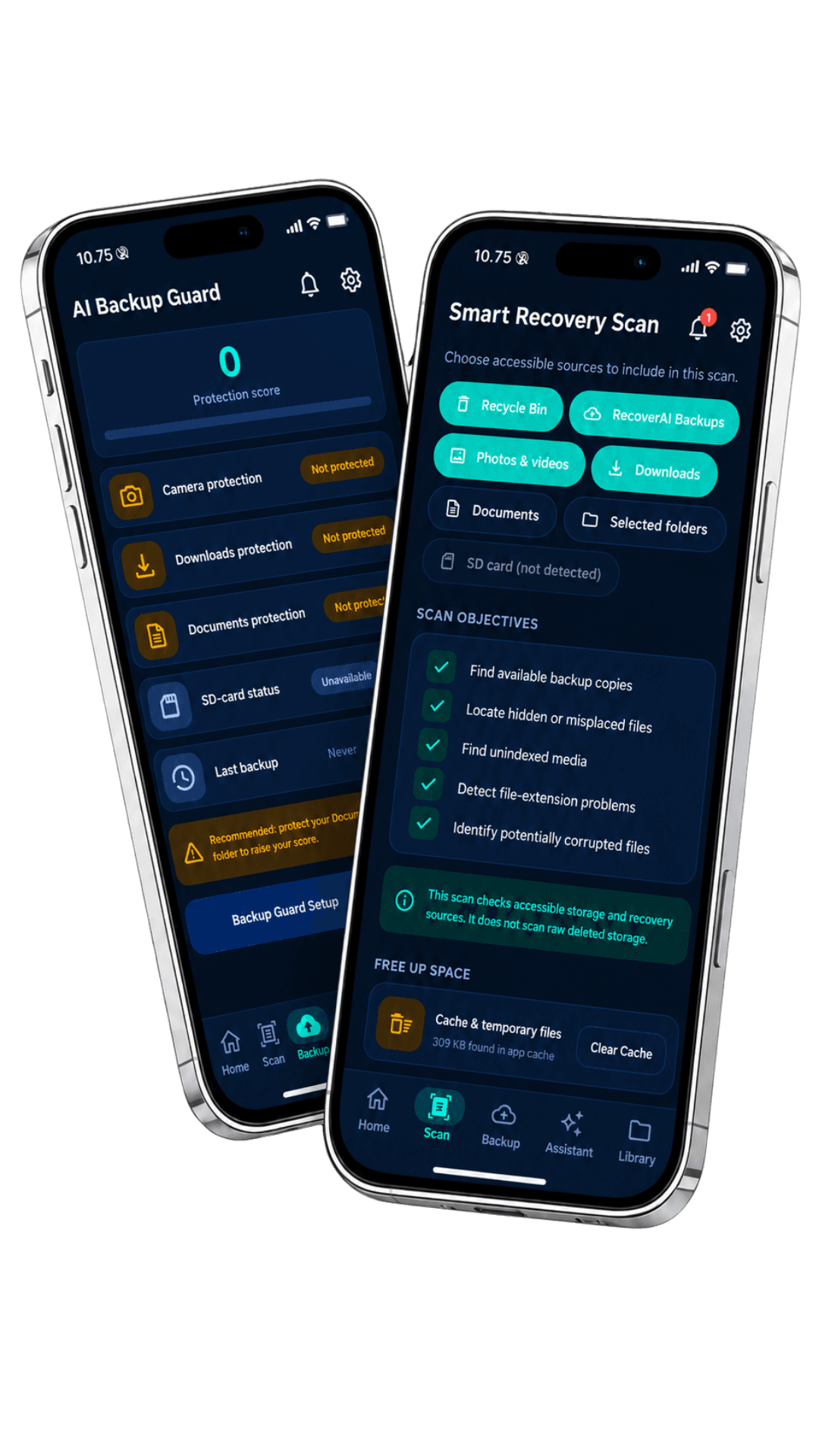
Scan the Recycle Bin, trash, recently deleted folders, Downloads, camera and gallery folders, and USB storage. Every file gets a clear status, so you know what can be restored before you start.
Restore Deleted Photos, Videos & Documents
Preview deleted pictures, videos, screenshots and PDFs before you restore them, choose where they're saved, and find them again in the Restored Files section.
AI File Search and Recovery Assistant
Type what you remember, like "beach photos from last summer," to find files fast. The AI Recovery Assistant suggests the best next step, and your first 5 chats are free.
RecoverAI helps you recover deleted photos, videos and files that are still accessible on your Android phone or tablet. It scans the Recycle Bin, trash, backups and gallery folders, shows what can be restored, and helps you set up automatic photo backup so you're protected next time.
Know What Can Be Restored Before You Start
Every scanned file is labelled Ready to Restore, Backup Copy Available, Existing File Located, Needs Review, or Not Recoverable by This App. No root is needed. Once a file is permanently erased and overwritten, no app can bring it back, so RecoverAI is clear about what's possible.
Recovery Scan
Free
Root Needed
No
AI Chats
5 Free
Android
7.0+
A Simpler, Calmer File Recovery App
No root and no forensic tools. Nothing is deleted or moved without your approval, and a full activity history shows every scan, backup and restore.
Scan the Recycle Bin, trash, recently deleted folders, Downloads, gallery and USB storage, with a clear restore status for every file.

Restore Status
Your Files, Clearly Labelled
See which photos, videos and documents are ready to restore and which need review.
How to Recover Deleted Photos in Three Steps
Scan for free, review each file's restore status, and restore what you need in a few taps.
Run a Free Recovery Scan
Install RecoverAI, allow storage access, and scan the Recycle Bin, trash, gallery, Downloads and backup copies.
Review Restore Status
Check each file's status, such as Ready to Restore or Backup Copy Available, and preview it before you start.
Restore and Back Up
Restore deleted photos, videos or files in a few taps, then turn on automatic backup to stay protected.
Protect Today
Restore, Then Back Up
Turn on automatic backup after you restore, so your photos and documents are easier to bring back next time.
Scan Progress
Smart Recovery Scan
Preview files and check restore status before you restore.
Recycle Bin
Recently deleted
Downloads
Documents & PDFs
Backup Guard
Automatic backup